I built a multi-database management tool - RowSQL
Why I built RowSQL ?
I was building a project where I was using PostgreSQL.
After building the application, the time was to build an admin panel... Like always, we do.
Many web-based applications need an admin panel, and most of the time, you don't even need high functionality... just some CRUD.
I tried many tools that provide admin panels. I messed with many, but I didn't like any of them 🙂.
Then I thought, what if I build a tool that can be run on the web like an admin panel? I only have to put the DB connection string, and on the web, I can modify all of my data.
You can find the code here :
So I created RowSQL.
What is RowSQL?
Now you already have an idea of what RowSQL is.
RowSQL is a multi-database management tool that can be used to manage SQLite, PostgreSQL, and MySQL databases (well tested with PostgreSQL and SQLite, but not MySQL).
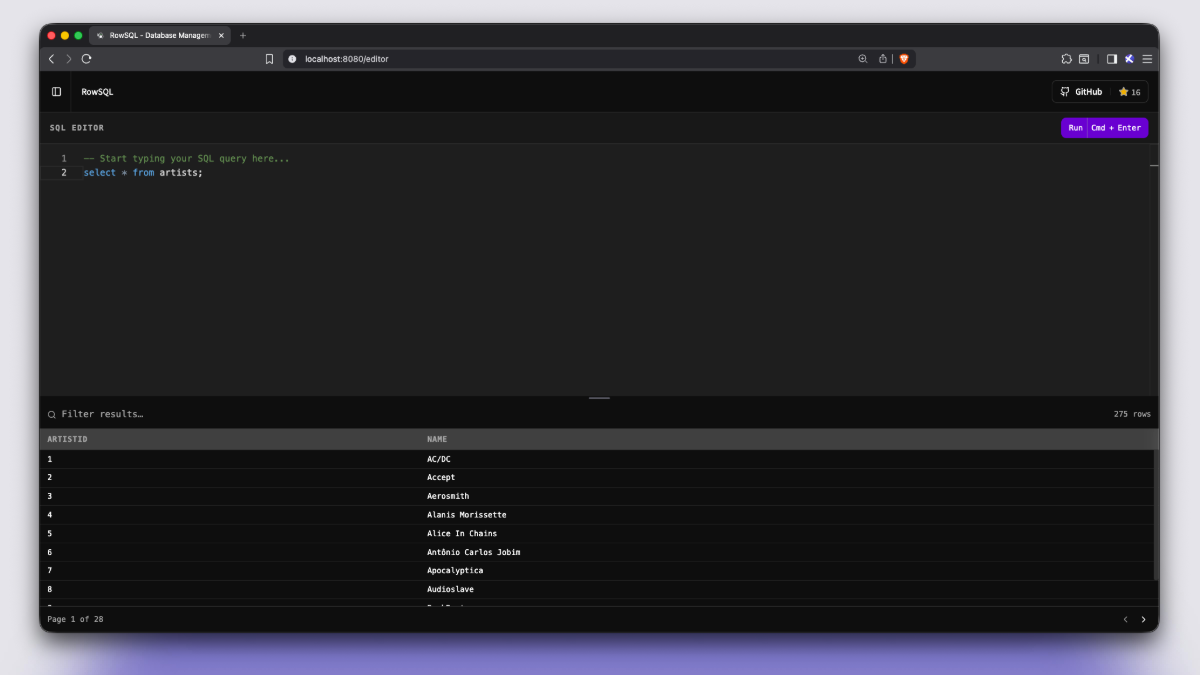
Using RowSQL, you can view all the records in a clear, organized table.
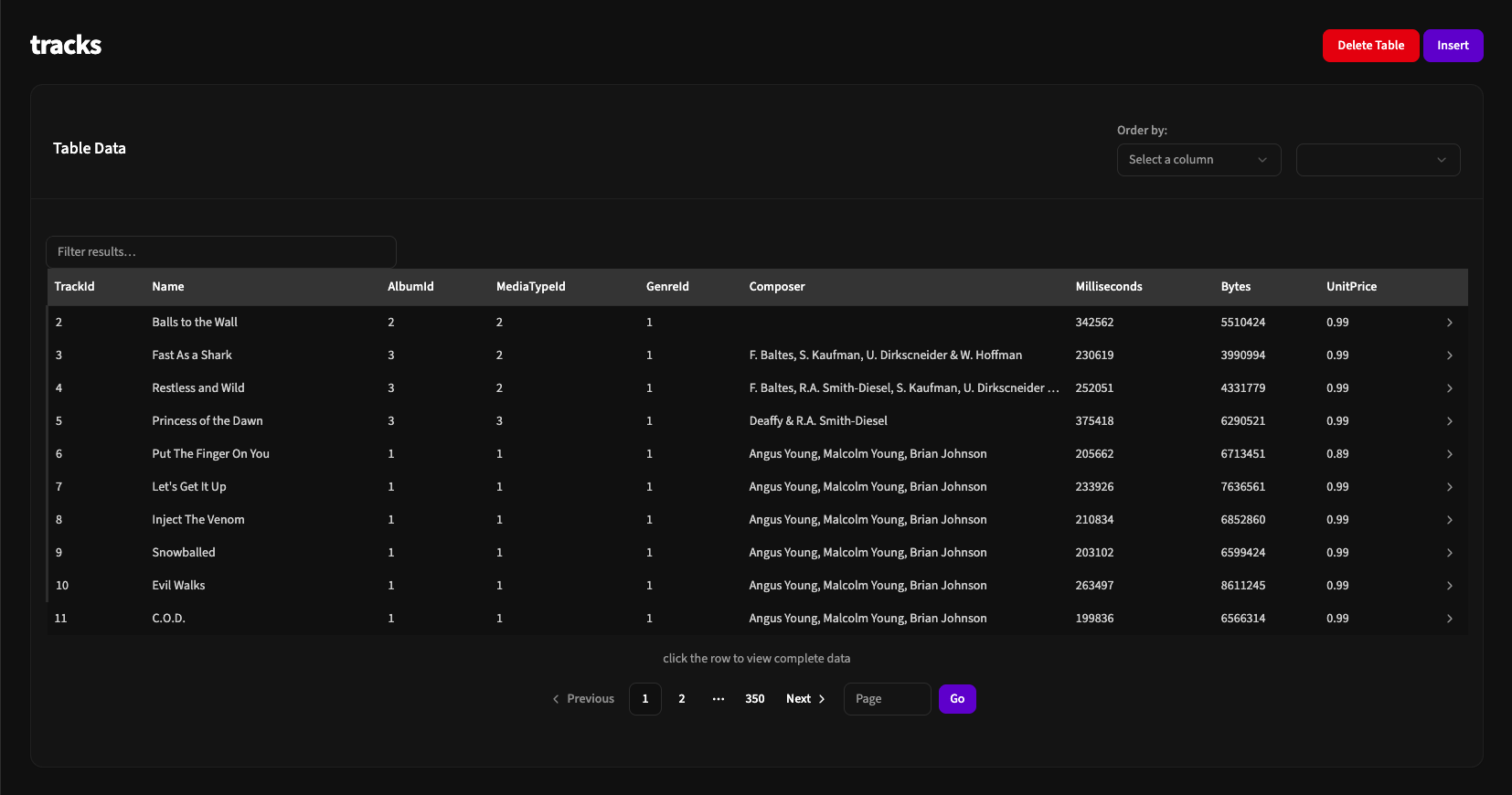
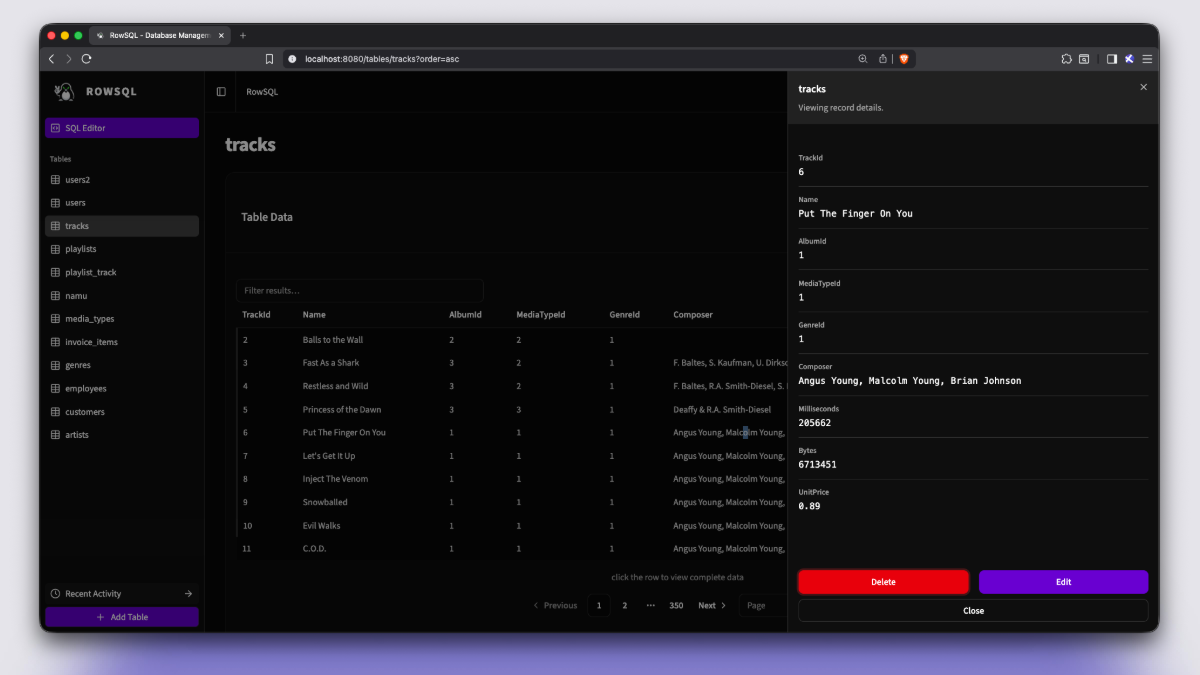
You can easily view any record and edit or delete data from each column.
Can create tables, delete any table, and filter and sort data based on your needs.
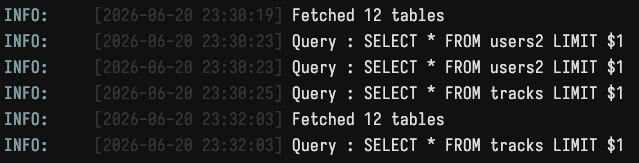
Also see the history of the operations you performed in RowSQL.
RowSQL is fully raw, so you will get the errors returned by the database.
You can also see the raw SQL query that will run when you perform any operation.
Then we have a SQL editor which can be used to run raw queries.
You can also filter the results you get from your queries.
How RowSQL works?
I have used to build RowSQL.
Why Go? Because RowSQL is made from the user's perspective.
Using Go, we can build a single executable that can be distributed easily across different operating systems.
To communicate with databases, we need a driver.
Drivers I have used in this app:
- github.com/jackc/pgx - for PostgreSQL
- modernc.org/sqlite - for SQLite (no CGO headache)
- github.com/go-sql-driver/mysql - to connect with MySQL
I used sqlx as a lightweight extension that is built on top of database/sql. Even though the use of sqlx was very minimal in the project.
In the backend, RowSQL uses the repository pattern, which makes the codebase easier to maintain and test.
Initially, I was only using Go's standard HTTP library, but then I found something really cool.
There is a package named which makes your API OpenAPI compatible.
For the frontend, I'm using:
- for components
- for validation and types
- and
Here, I'm using , which I found in a FastAPI boilerplate code.
hey-api reads your OpenAPI JSON schema and generates type-safe API clients that just works.
So huma is creating the OpenAPI schema, and hey-api is creating the Zod schema and type-safe API clients 🙃
Both are really working great.
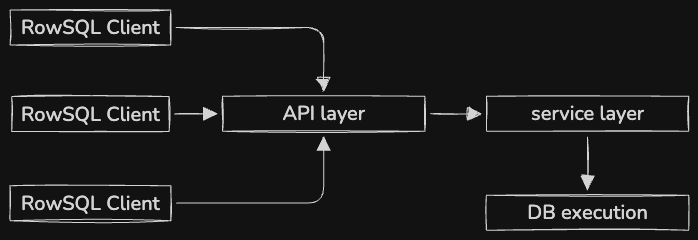
Every operation you perform in RowSQL is converted into a raw SQL query by the backend and then executed directly on the database.
One thing I really like about Go is its ability to embed files into a standalone binary.
Because of this, RowSQL can package the frontend React build inside the same binary. You only need to run one executable, and Go serves the React files from the / route.
This makes distribution much simpler because there is no separate frontend deployment required.
Challenges I faced while building RowSQL
1. Finding the actual row for modification
Initially, one of the hardest parts was identifying the exact row which needs to be updated and deleted.
Initially, RowSQL was redirecting to another page containing a form when you clicked any row to edit.
To get the exact values on the edit page, I implemented a very minimal LRU cache system.
While retrieving the values, the system was making a hash and storing the hash and row data in the cache.
So later, we could access the value using the hash. Now, on another page, it was easy to get the row using the hash.
But what if users start RowSQL and open the edit page using their old URL?
In that case, the hash will be invalid.
For that, I created a fallback method which searches the row using the page number. But still, it's not reliable.
Later, I upgraded the UI, in which rows can be modified without redirecting to another page. This improved the reliability of modifying or deleting a row.
To reduce the complexity, I have a plan to use ctid (PostgreSQL) and rowid (SQLite) to select the exact row to modify. While MySQL doesn't provide a hidden row identifier like PostgreSQL ctid or SQLite rowid, for now, I have to keep the current implementation.
2. Multiple database support
Each database works differently. Even though it looks like we are executing the same SQL query, it's not always the same.
From my observation, SQLite is more flexible with query syntax.
On the other hand, we have PostgreSQL and MySQL 😒
The biggest challenge was not just executing queries, but handling the differences between databases.
Things like:
- Different data types
- Different SQL syntax
- Different ways to get table information
- Different ways to identify rows
- Different error messages returned by databases
I had to create a layer that handles these differences so RowSQL can provide a similar experience across different databases.
3. Naming convention
Finding the proper name for every struct was the 2nd hardest thing. I think it's not fixed yet 😊
There are only two hard things in Computer Science: cache and naming things.
Both got triggered 😂

4. Building developer tools
Building RowSQL changed my thinking about developer tools.
Small features like showing database errors, generating queries, and handling different databases require much more thinking than expected.
To make the query builder and UI work seamlessly across different engines, I had to deep research the lists of data types for all supported databases. I mapped out the specific types, size requirements, and properties for PostgreSQL, SQLite, and MySQL (which you can see in psql-datatypes.go, sqlite-datatypes.go, and mysql-datatypes.go).
How to use RowSQL ?
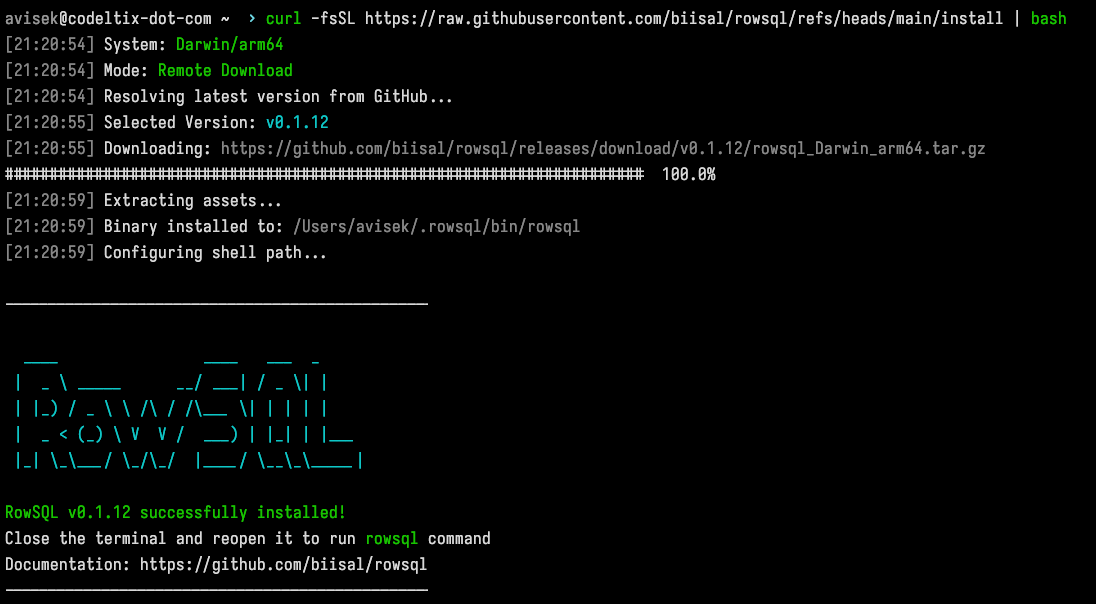
- Install RowSQL:
If you are using linux/macos you can simply run this command to intall
For windows you can download exe file from and run the downloaded exe
-
Start RowSQL: Type
rowsqlin your terminal. -
Setup Configuration: If it's your first run, RowSQL will ask to create a default configuration file. Type
yand press Enter. -
Find your config: The settings are stored in a file named
config.jsonin your home directory:- Unix/Mac:
~/.rowsql/config.json - Windows:
%USERPROFILE%\.rowsql\config.json
- Unix/Mac:
-
Connect your database: Open
config.jsonand add your database details. Here is a full example with multiple databases:
Note: If you make changes to your configuration file, you must restart RowSQL for the new settings to take effect.
- Open in browser: Visit
http://localhost:8000to start managing your data.
What I have learned?
Database:
As I mentioned earlier, I explored various new technologies while building this, but that's not the big deal.
I wrote plenty of SQL queries while building this, which helped me understand databases more deeply.
I understand that SQL databases are not that hard... but they can be horrible 💀.
Testing in Go:
Before this project, I wasn't too familiar with testing in Go.
Before Go, I used to write my backend in Python (sometimes in TypeScript). In Python, we use tools like pytest and unittest.
But in the standard library, testing is more than enough. I wrote many test cases and found that writing tests in Go is really simple.
Testing is very essential when you are working with strings, where a single space can produce a bug.
I found/fixed many bugs while testing.
I learned better.
Next Plan
I'm currently working on writing more test cases and fixing bugs.
Alongside that, I'm improving the UI of RowSQL.
Currently, RowSQL doesn't support relational table management, which will be the next major feature I add.
Most of RowSQL was built through live streams on YouTube.
Thanks for reading.. ❤️ leave a comment if you found anything useful.