LinkedIn is spamming to your device
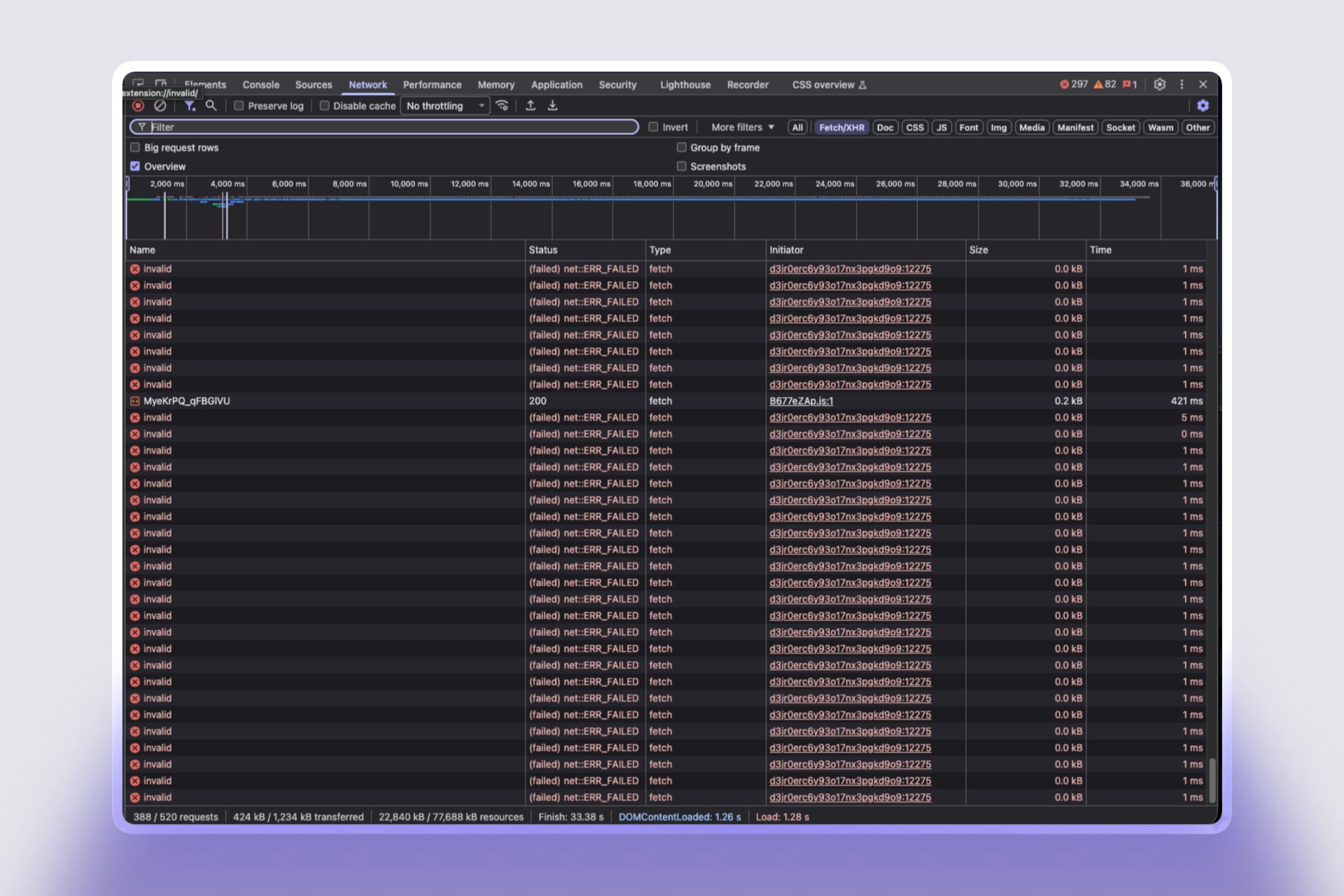
If you open Developer Tools on LinkedIn, you will see that LinkedIn is making huge requests to your device.
When I saw it, I thought something was wrong on my side.
Then I did some research and found that nothing is wrong from my side. LinkedIn is scanning our installed extensions, even without asking us.
This is not safe.
The tools we use in our browser can reveal highly sensitive information.
By running these scans, LinkedIn can deduce your job search status, political views, religious views, health data, etc.
According to European data protection laws, accessing this information is strictly prohibited.
Here is how it works:
In simple, LinkedIn is doing AED (Active Extension Detection) brute-force scanning. It tries many possible extension IDs using fetch() to check which extensions are installed.
Chromium based browser extensions can make some files publicly reachable by websites using the web_accessible_resources setting in manifest.json.
Example:
As of February 2026, LinkedIn is scanning 6,167 extensions this way.
To check, just open your Developer Tools (most probably with F12 if you are using Chromium) and check the Network tab.
Full info :